
引导Guide
一、效果总览
二、描述
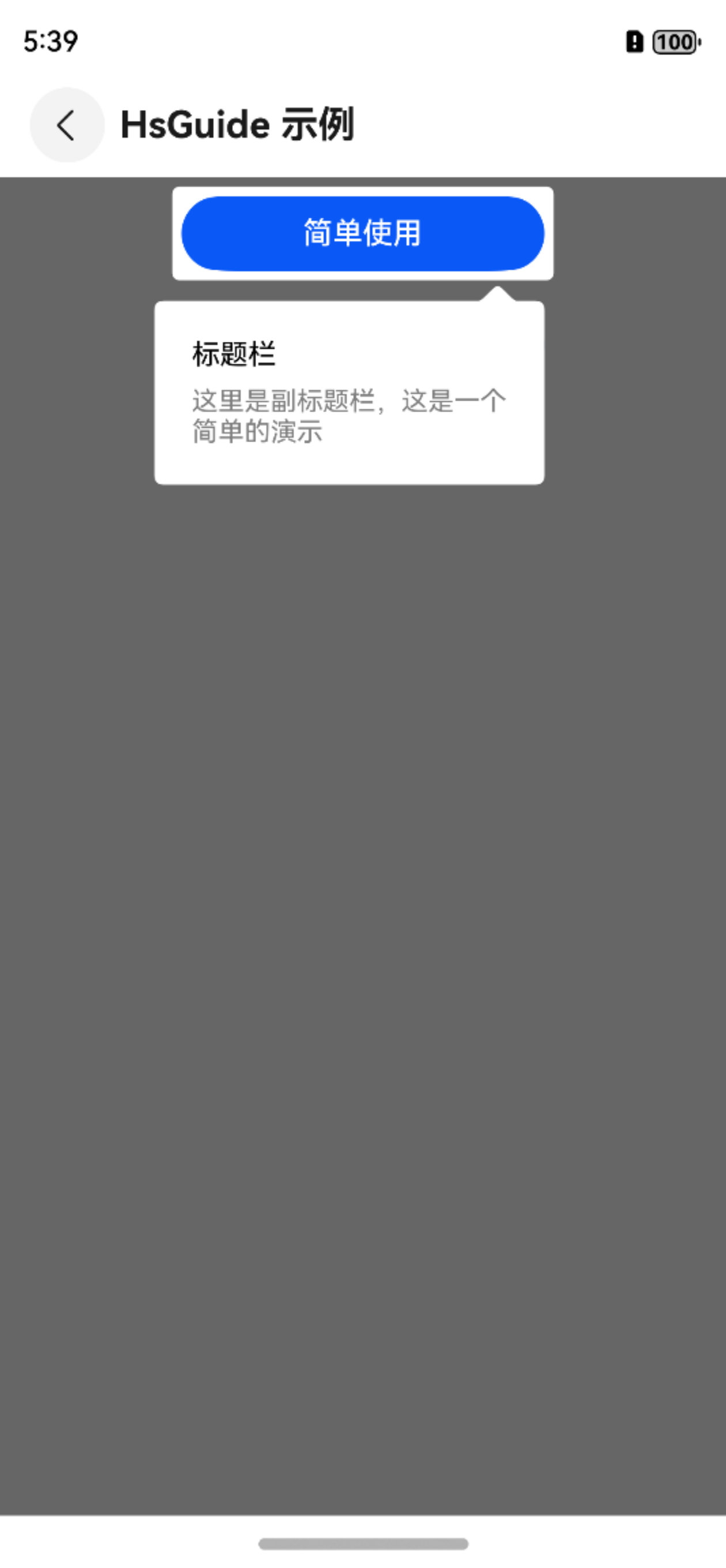
适用于页面功能引导。
三、构造函数及参数说明
OmniGuide
| 参数名 | 参数类型 | 描述 | 是否必填 | 默认值 |
|---|---|---|---|---|
| content | CustomBuilder | 引导页组件的蒙版覆盖的内容 | 是 | 无 |
| builder | OmniGuideBuilder | 引导页的通用配置 | 是 | 无 |
| onReady | (controller: Controller) => void | 回调通知引导页组件即将显示,可获取Controller控制器 | 否 | 是 |
OmniGuideBuilder
| 参数名 | 参数类型 | 描述 | 是否必填 | 默认值 |
|---|---|---|---|---|
| label | string | 引导页名称 | 是 | 无 |
| alwaysShowGuide | boolean | 是否总是显示引导页 | 否 | false |
| guidePages | GuidePage[] | 引导页页面集合 | 是 | 无 |
| visibleStateChangeListener | OnGuideChangedListener | 引导页面显示状态变化监听 | 否 | 无 |
| pageChangedListener | OnPageChangedListener | 引导页面页数切换监听 | 否 | 无 |
GuidePage
| 参数名 | 参数类型 | 描述 | 是否必填 | 默认值 |
|---|---|---|---|---|
| highLights | HighLight[] | 高亮组件/区域集合 | 是 | 无 |
| highLightIndicator | CustomBuilder | 高亮指示层(页面级) | 否 | null |
| bubbleIndicator | BubbleIndicator | 气泡指示器 | 否 | null |
| enterAnimation | AnimatorOptions | 导页进入动画 | 否 | null |
| exitAnimation | AnimatorOptions | 引导页退出动画 | 否 | null |
| backgroundColor | string | 引导页蒙版背景色 | 否 | #99000000 |
| everywhereCancelable | boolean | 是否点击任意位置切换到下一页 | 否 | true |
BubbleIndicator
| 参数名 | 参数类型 | 描述 | 是否必填 | 默认值 |
|---|---|---|---|---|
| componentId | string | 被绑定的高亮组件ID | 是 | 无 |
| bubblePosition | BubblePosition | 气泡指示器的展示方向 | 否 | BubblePosition.BOTTOM |
| bubbleBean | BubbleBean | 气泡指示器的内容 | 是 | 无 |
四、代码演示
typescript
aboutToAppear()
{
  this.builder = new OmniGuideBuilder()
    .setLabel('OmniGuideMultiPageExample')
    .alwaysShow(true)// 总是显示,调试时可以打开
    .setOnGuideChangedListener(this.visibleChangeListener)
    .setOnPageChangedListener(this.pageChangeListener)
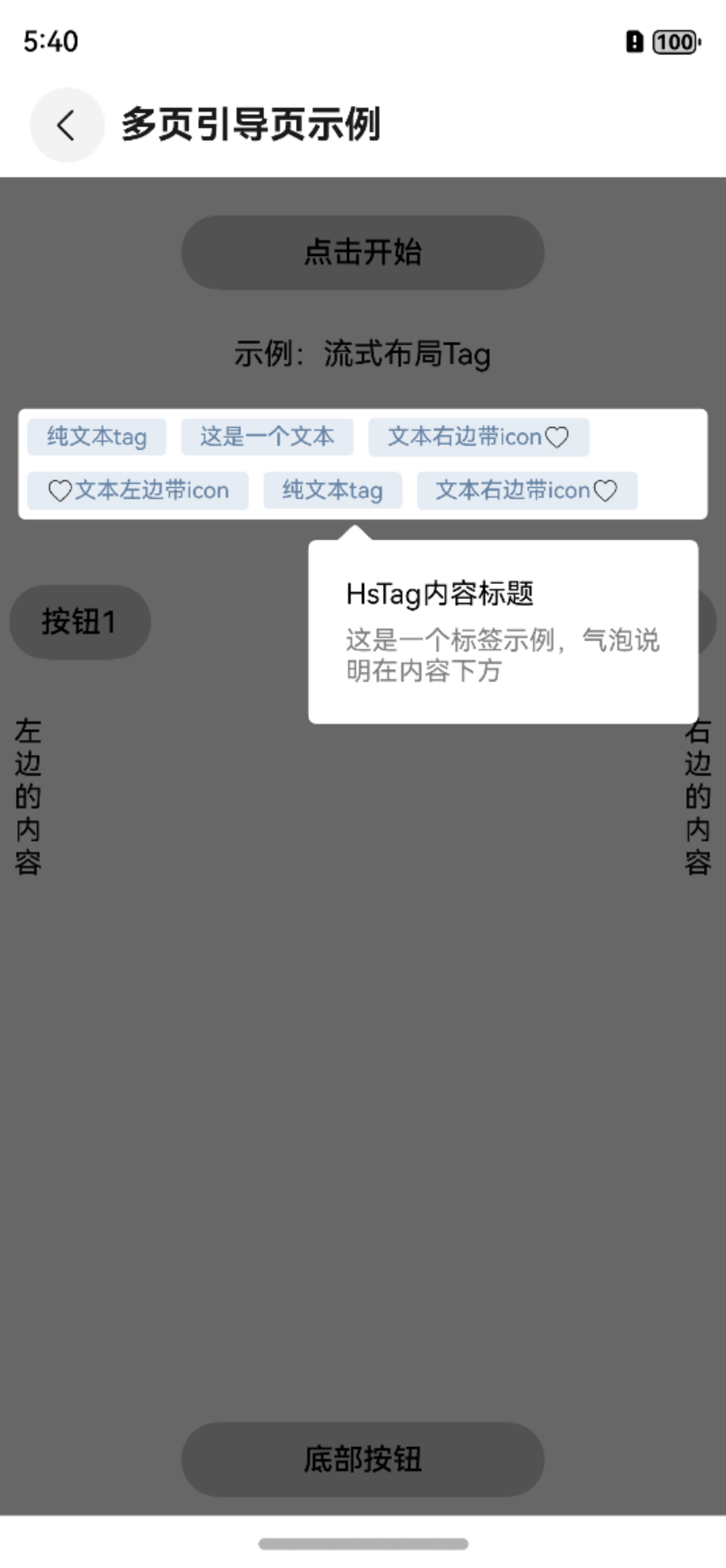
    .addGuidePage(GuidePage.newInstance()
      .addHighLight('OmniTag')
      .setBubbleIndicator(
        new BubbleIndicator(
          'OmniTag',
          new BubbleBean('OmniTag内容标题', '这是一个标签示例,气泡说明在内容下方'),
          BubblePosition.BOTTOM
        )
      )
      .setEnterAnimation(this.enterAnimatorParam)
      .setExitAnimation(this.exitAnimatorParam)
    )
    .addGuidePage(GuidePage.newInstance()
      .addHighLight('Button1')
      .setBubbleIndicator(
        new BubbleIndicator(
          'Button1',
          new BubbleBean('左边的按钮标题', '这是一个左边的按钮示例,气泡说明在内容下方'),
          BubblePosition.BOTTOM
        )
      )
      .setEnterAnimation(this.enterAnimatorParam)
      .setExitAnimation(this.exitAnimatorParam)
    )
    .addGuidePage(GuidePage.newInstance()
      .addHighLight('Button2')
      .setBubbleIndicator(
        new BubbleIndicator(
          'Button2',
          new BubbleBean('右边的按钮标题', '这是一个右边的按钮示例,气泡说明在内容下方'),
          BubblePosition.BOTTOM
        )
      )
      .setEnterAnimation(this.enterAnimatorParam)
      .setExitAnimation(this.exitAnimatorParam)
    )
    .addGuidePage(GuidePage.newInstance()
      .addHighLight('TextLeft')
      .setBubbleIndicator(
        new BubbleIndicator(
          'TextLeft',
          new BubbleBean('左边的内容标题', '这是一个左边的内容示例,气泡说明在内容右方'),
          BubblePosition.RIGHT
        )
      )
      .setEnterAnimation(this.enterAnimatorParam)
      .setExitAnimation(this.exitAnimatorParam)
    )
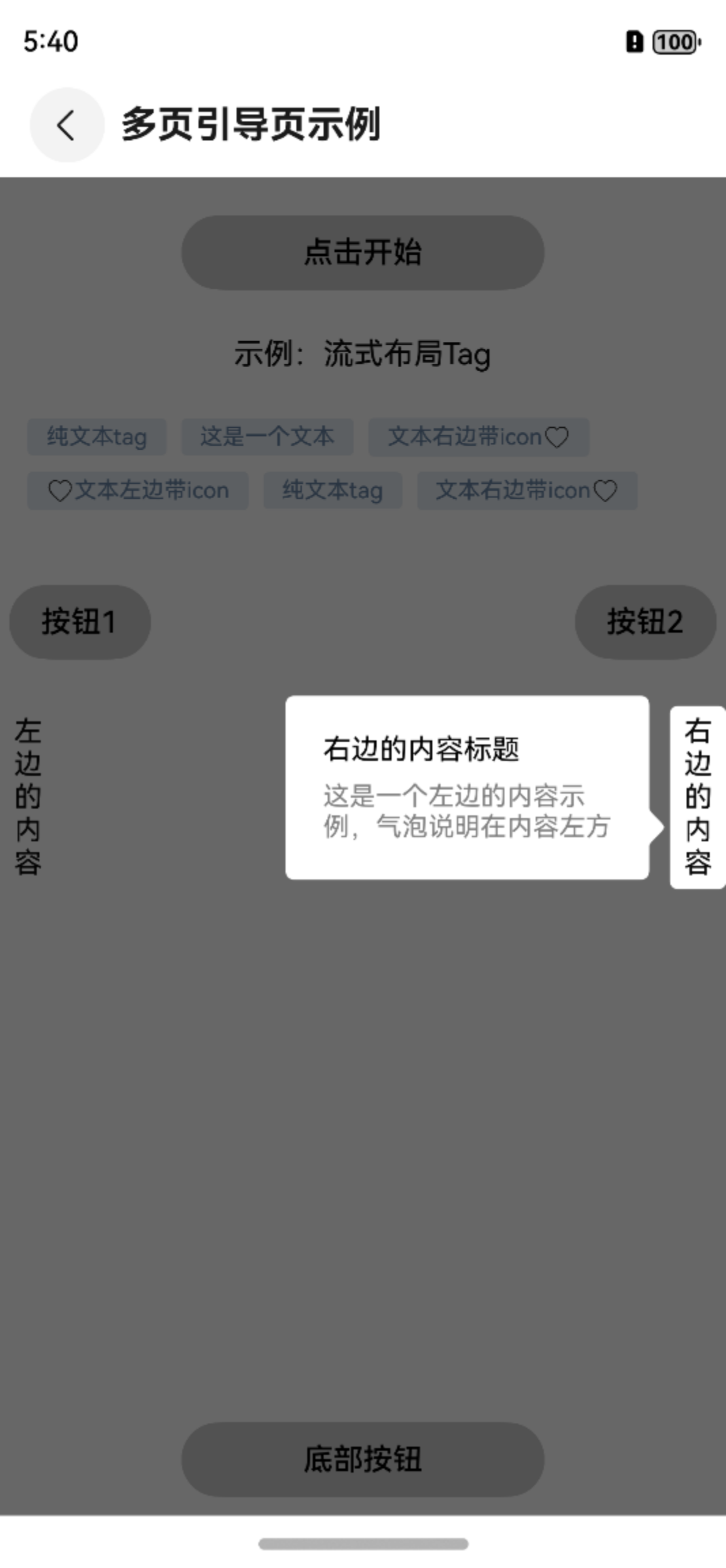
    .addGuidePage(GuidePage.newInstance()
      .addHighLight('TextRight')
      .setBubbleIndicator(
        new BubbleIndicator(
          'TextRight',
          new BubbleBean('右边的内容标题', '这是一个左边的内容示例,气泡说明在内容左方'),
          BubblePosition.LEFT
        )
      )
      .setEnterAnimation(this.enterAnimatorParam)
      .setExitAnimation(this.exitAnimatorParam)
    )
    .addGuidePage(GuidePage.newInstance()
      .addHighLight('ButtonBottom')
      .setBubbleIndicator(
        new BubbleIndicator(
          'ButtonBottom',
          new BubbleBean('底部的内容标题', '这是一个底部的内容示例,气泡说明在内容上方'),
          BubblePosition.TOP
        )
      )
      .setEnterAnimation(this.enterAnimatorParam)
      .setExitAnimation(this.exitAnimatorParam)
    )
}

...

OmniGuide({
  content: this.content,
  builder: this.builder,
  onReady: (controllerParam: Controller) => {
    this.controller = controllerParam
    setTimeout(() => {
      this.controller?.show()
    }, 300)
  }
})